Gentle exercises you can do at home to practise scanning and reading after a stroke.
Nine exercises for the four most common post-stroke visual and attentional conditions. Grounded in the saccadic scanning and smooth pursuit training traditions described in published research. The app itself has not been clinically evaluated.
On iPhone, iPad or Android? Get it from your app store — same app, same price.
New here? Try the demo first — no purchase needed.
Based on published researchStroke Sight runs full-screen on iPad and on Android and Amazon Fire tablets. The larger canvas gives more room to see targets and read your progress — the same app, at no extra cost.


Each condition has a distinct clinical evidence base. The exercises are designed to match — not a single exercise template applied to different problems, but different practice approaches for different needs.
Hemianopia, quadrantanopia, or scotoma — all four conditions are supported with condition-specific exercises
Spatial inattention exercises using the smooth pursuit approach studied in the neglect rehabilitation literature
A structured tool for daily home practice between sessions, with progress reports you can review together
Something concrete to support rehabilitation without needing clinical training yourself
Many people find a little practice most days easier to keep up than occasional long sessions, and two short sessions can be gentler than one long one. There is no prescribed amount — follow your clinical team's advice on what suits you.
Everyone's starting point and pace are different, and the app makes no promises about outcomes. It keeps a record of the exercises you complete, so you can look back over your practice and share it with your clinical team.
Stroke Sight is a wellness support tool — not a medical device. It does not diagnose, treat, or cure any condition. Always follow the guidance of your neuro-optometrist, orthoptist, or rehabilitation team.
General brain-training apps target cognition broadly. They do not address the specific eye-movement patterns that visual field loss and spatial neglect disrupt. Stroke Sight uses different practice approaches for different conditions — saccadic scanning for hemianopia, smooth pursuit for neglect, awareness training for scotoma — each grounded in its own published evidence base. That condition-specific design is what sets it apart.
English, Spanish, French, German, Italian, Portuguese, Welsh, Japanese, Korean, Hindi, Arabic, Chinese, Polish, Latin American Spanish, Brazilian Portuguese, and Canadian French
Hemianopia, quadrantanopia, visual neglect and scotoma — each with condition-specific exercises
Start gently and increase challenge as you improve
Directional audio prompts help you locate targets on your affected side while keeping your gaze on the anchor.
Three-level audio toggle — off, subtle, prominent — for users with hyperacusis or auditory processing difficulties
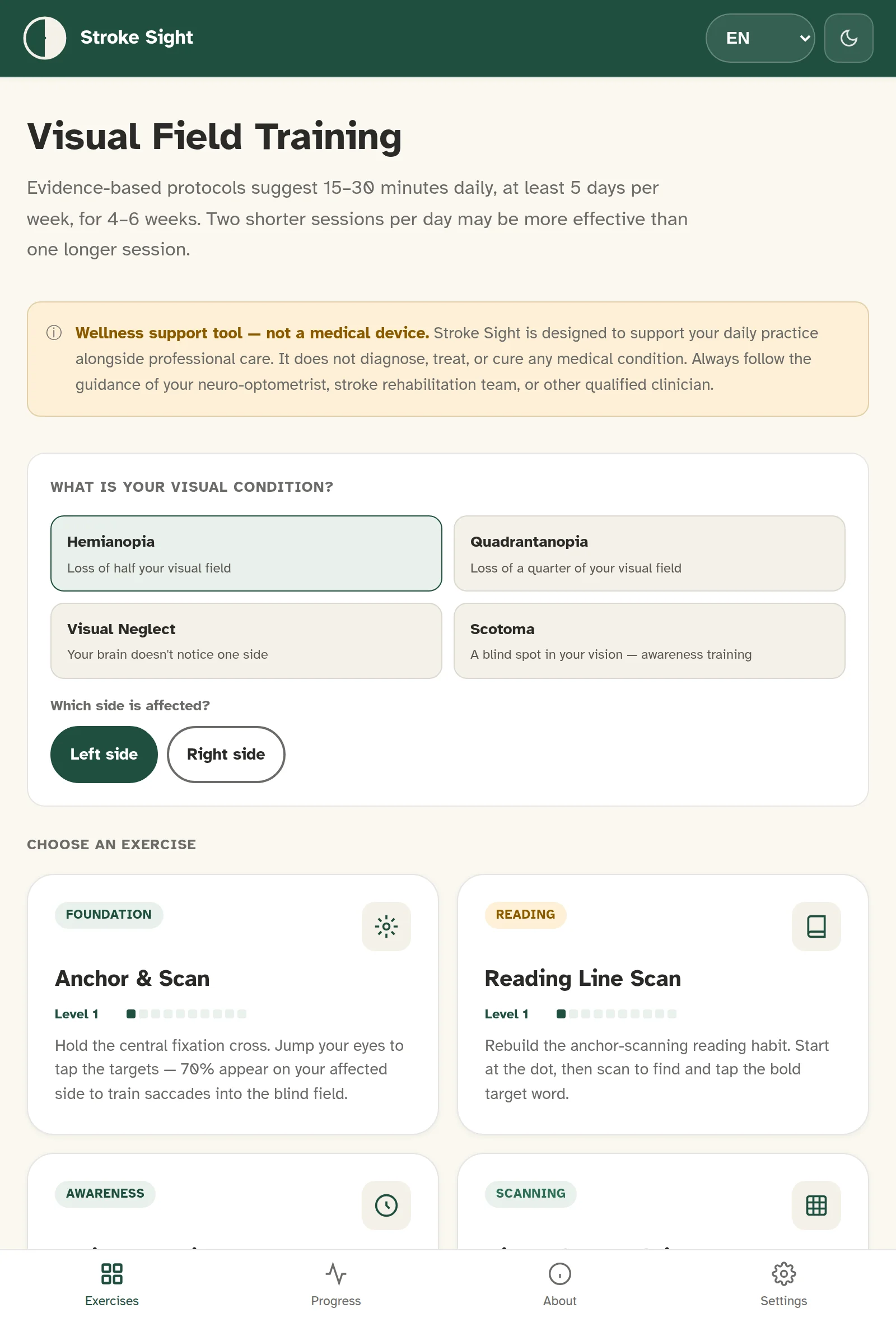
Exercises adapt to left or right side at setup
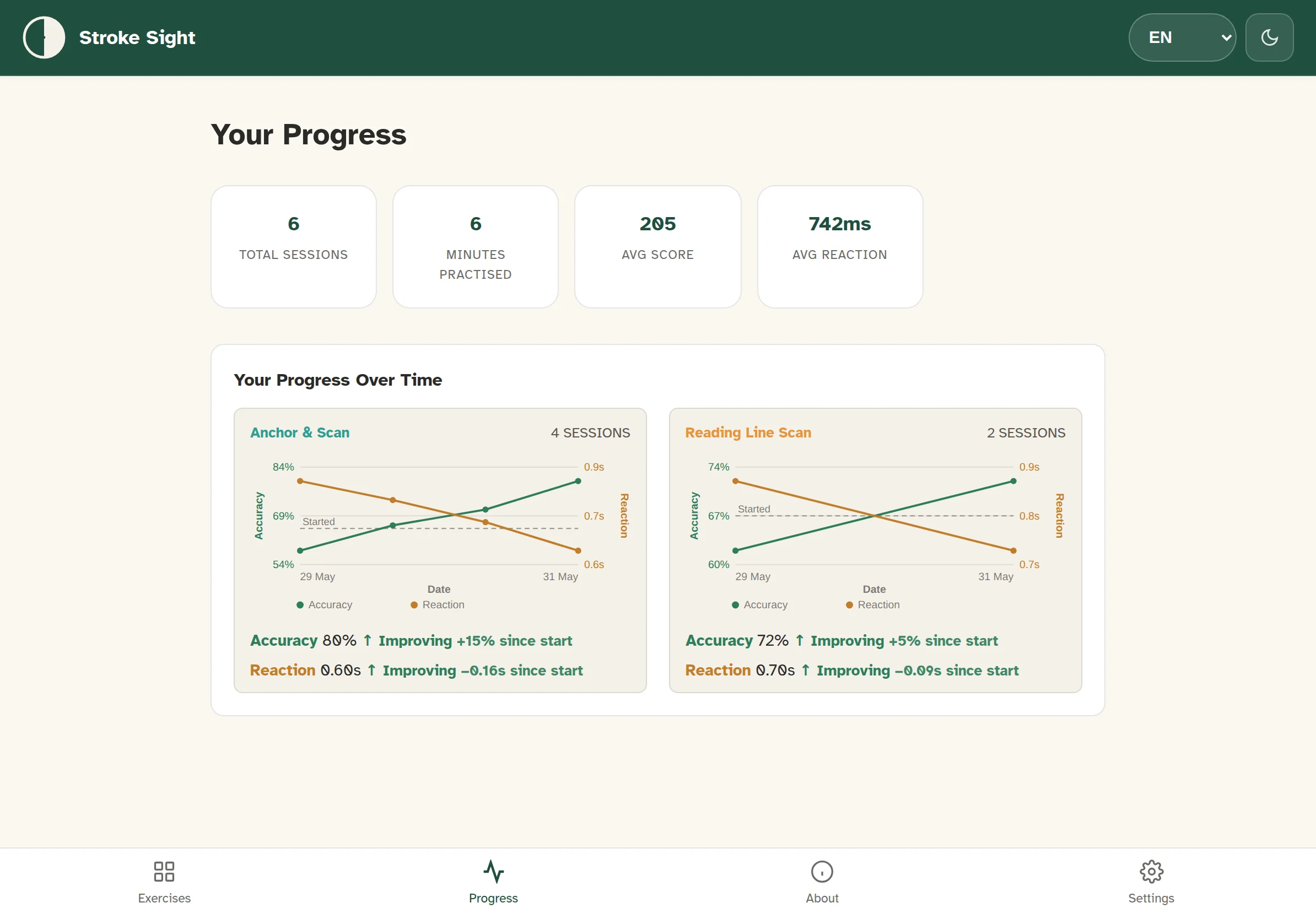
View your accuracy and reaction times over time
Share results with your therapist via email — uses your own mail app, no data leaves the device
No internet connection needed after download. Works on hospital wards, in care homes.
About 1 in 5 stroke survivors notice their colour vision is different. Three display modes — Standard, High Contrast Yellow, and High Contrast White — let you pick the one that works for your eyes.

Stroke Sight's exercises are grounded in techniques studied in published clinical research on visual rehabilitation after stroke:
The SEARCH trial (Rowe et al., 2025) found equivalent benefit from structured practice regardless of exercise specifics — supporting the value of consistent, daily engagement with any well-designed visual training programme.
Stroke Sight is often bought by a husband, wife, son or daughter rather than by the person who will use it. That works well — it only takes a few minutes to set up on their behalf.
To give it as a gift, the simplest way is to buy the app directly on the person's own phone or tablet, so it stays tied to their account. App Store or Google Play gift cards work too — add credit to their account, then install the app together.
When you set it up, choose their language, then select the condition and the affected side — left or right — as their clinical team has described it. Both can be changed later in the settings.
With the neglect exercises you can take part yourself: sit on the person's affected side during a session and gently encourage them to turn their head towards you. Many families find sessions done together easier to keep up than practising alone.
No. Stroke Sight is a wellness support tool designed to complement professional rehabilitation. It does not diagnose, treat, or cure any condition. Always use it alongside guidance from your clinical team. Stop using it if symptoms worsen and speak to your rehabilitation team.
Stroke Sight covers four post-stroke visual and attentional conditions: hemianopia, quadrantanopia, visual neglect, and scotoma. When you first open the app, you choose your condition and which side is affected. Exercises then adapt accordingly.
Yes. The Smooth Pursuit exercise uses slow tracking toward the neglected side with spatial audio cues — an approach widely studied in the neglect rehabilitation literature. The app itself has not been clinically evaluated.
Yes. When you first open the app, you choose which side is affected. All exercises then adapt to present targets in the appropriate direction.
There is no set amount. Many people practise a little each day — short sessions are fine, and the app suggests shorter exercises on tired days. Follow your clinical team's advice on what suits you.
Yes — the app has an email progress report feature that generates a summary you can send to your therapist. It uses your device's own mail app, so no data is stored or processed by us.
Only for the initial download. After that, everything works offline — on hospital wards, in care homes, or anywhere without connectivity.
Stroke can change how colours are perceived. In Settings › Visual Display you can choose between Standard (green targets, yellow anchors), High Contrast Yellow, or High Contrast White. You can try all three in the free demo before you buy.
No. £29.99 one-time purchase. No subscription, no in-app purchases, no ads.
On iPhone, iPad or Android? Get it from your app store — same app, same price.
Try the demoA one-page evidence summary is available for circulation in clinical teams. If you are an occupational therapist, orthoptist, neuro-optometrist or stroke rehabilitation specialist, clinical feedback is welcomed at any time.